

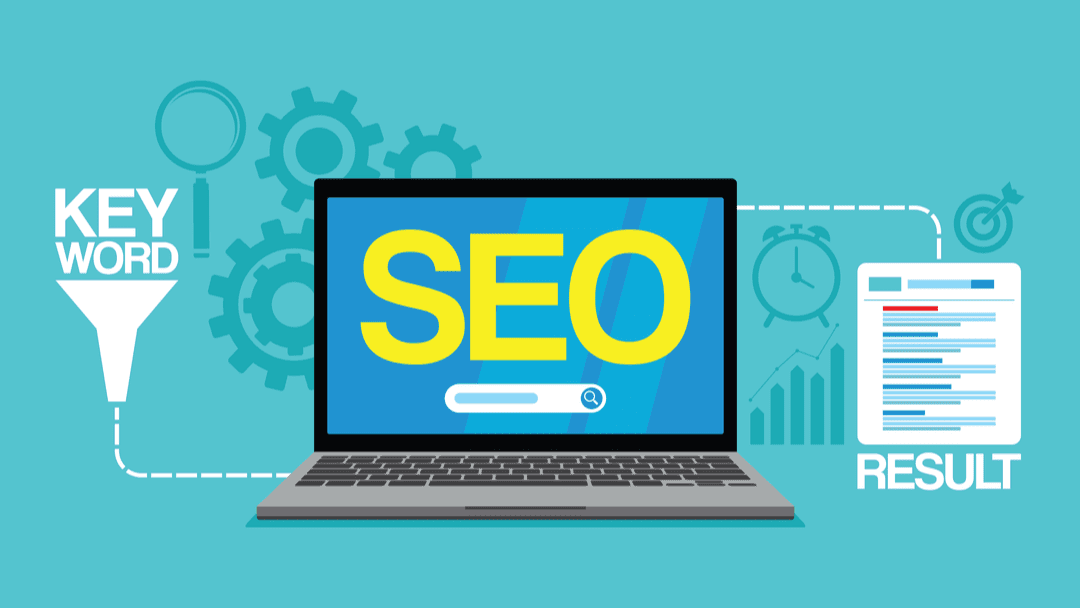
On Page SEO for Ranking
On Page SEO for Ranking is all about improving the content and structure of your individual website pages. It helps you get a search ranking boost by making sure your pages are useful, fast, and easy for search engines to read.
Using smart SEO optimization techniques—like writing better titles, using the right keywords, and fixing broken links—you increase your chances of showing up on Google. Strong web content strategies make your pages more helpful for real users, which also helps you rank better.
Want more people to find your website? It all starts with on-page SEO for ranking. That’s the work you do on your pages—your blog posts, product pages, home page—to help search engines and real people see how valuable your content is. In this guide, I’ll show you easy, human-friendly steps you can take today to improve your site’s search engine results. No heavy jargon. No sneaky tricks. Just straightforward advice you can apply right now.
Steps to On-Page SEO in 2025
1. Why On-Page SEO Still Matters
Every day, people type billions of questions into Google, Bing, and other search engines. If your pages aren’t set up the right way, you’ll miss out on all that free traffic. Here’s why on-page SEO is a game-changer:
It helps search engines understand what your page is about.
It makes your content more valuable and enjoyable for readers.
You control it yourself—you don’t have to wait for someone else to link to you.
In 2025, things like voice search and mobile browsing are bigger than ever. People talk to their phones to find answers. They expect pages that load quickly and look great on any device. On-page SEO encompasses all of this because it focuses on what happens on your site.
2. Think Like Your Visitor
Before tweaking any HTML tags, stop and ask:
Who am I talking to?
What problems do they have?
How would they phrase their questions?
If you sell homemade candles, your customers might search for phrases like “gentle-scented soy candles” or “best candles for stress relief.” If you run a parenting blog, readers might say, “How to get kids to bed early.” Put yourself in their shoes. Write down the exact phrases they might use. Those phrases are your starting point.
3. Find Conversational Keywords
Traditional SEO was primarily focused on short phrases. Now people type—or speak—full questions. That’s where you find gold:
Open Google and start typing a question. Watch the suggestions pop up.
Scroll to “People also ask” and note the questions.
Utilize free tools like AnswerThePublic to create a visual map of the questions people have.
Aim for longer, more natural-sounding phrases like “what are easy SEO tips for small websites” instead of just “SEO tips.” These natural queries have less competition, and they match the way real people search.
4. Give Search Engines Clues
When Google visits your page, it looks for signals to understand what’s inside. You can give those clues easily:
Page Title: Put your primary phrase near the front. Keep it under 60 characters.
Meta Description: Write a two-sentence summary that mentions your phrase naturally.
Headings (H1, H2, H3): Use headings to break your content into sections. Include keywords where they fit.
URL: Keep it short and descriptive, like /easy-seo-tips.
These bits of text don’t just help search engines—they help readers skim and decide if your page has the answers they need.
5. Speed and Mobile Matter More Than Ever
On Page SEO for Ranking
On Page SEO for Ranking is all about improving the content and structure of your individual website pages. It helps you get a search ranking boost by making sure your pages are useful, fast, and easy for search engines to read.
Using smart SEO optimization techniques—like writing better titles, using the right keywords, and fixing broken links—you increase your chances of showing up on Google. Strong web content strategies make your pages more helpful for real users, which also helps you rank better.
No one likes a slow-loading page. If your site drags, people leave—and Google notices. Here’s how to speed things up:
Compress Images: Utilize free tools to reduce image size without compromising quality.
Browser Caching: Let repeat visitors load your pages faster.
Content Delivery Network (CDN): This distributes your files globally, ensuring everyone experiences a quick load time.
Mobile-first means Google looks at your phone version first. Ensure buttons are easy to tap and text is large enough to be easily readable. Test your site on a smartphone regularly to ensure it functions properly. If it feels cramped or slows down, fix it.
6. Make Your Content Snippet-Worthy
Featured snippets are the short answers that appear at the top of search results. They get more clicks because they stand out. To go after snippets:
Answer a question right away in 40–60 words.
Use bullet lists for steps or top-5 lists.
Include tables if you’re comparing items.
Add a small FAQ section at the bottom with frequently asked questions and concise answers.
This approach not only helps you win that prime spot but also makes your page more helpful to readers.
7. Speak the Search Engines’ Language with Schema
Schema might sound technical, but it’s just a way to label parts of your content. When you use schema markup, search engines can show extra info right in the results:
Star ratings under reviews
Cooking times for recipes
Event dates and locations
Plug in your page URL to Google’s free Structured Data Testing Tool to see what you’ve got. If you’re on WordPress, plugins like Schema Pro can add these labels for you without any coding.
8. Structure Your Content for Humans and Bots
A well-organized page helps both readers and search engines. Follow this simple flow:
Introduction: Tell people what you’ll cover and why it matters.
Body: Break down your points into clear sections with headings.
Visuals: Add images, charts, or screenshots with descriptive ALT text.
Conclusion: Sum up key takeaways and suggest next steps.
Internal Links: Point readers to related pages on your site.
This structure keeps readers engaged and signals search engines that your content is thorough.
9. Track and Tweak
SEO isn’t a set-it-and-forget-it deal. Keep an eye on how your pages perform:
Google Search Console: See which queries bring people to your site and how many clicks you get.
Google Analytics: Track watch time on page, bounce rate, and whether users take action.
Free Rank Trackers: Tools like Ubersuggest let you monitor your keyword positions over time.
Every month, pick one underperforming page. Update it with fresh info, tweak headings, or add a new section. Little updates can give a nice boost.
10. Real-Life Wins
Here are three quick success stories to spark your creativity:
Case Study 1: An online bakery lifted its mobile speed score from 45 to 85. Their sales of phones jumped by 30% in a month.
Case Study 2: A travel blog secured a featured snippet for the search term “Best Budget Beach Destinations.” Organic traffic rose by 50% in six weeks.
Case Study 3: A local fitness coach used schema to highlight class schedules and ratings. Click-throughs from search results doubled.
11. Go-To Tools for On-Page SEO
You don’t need an expensive stack to get great results. Here are free or low-cost favorites:
Google PageSpeed Insights: Spot speed issues.
AnswerThePublic: Find conversational keywords.
Google Search Console: Track clicks and impressions.
Yoast SEO (WordPress): Easy on-page checks.
Schema Pro (WordPress): Simple schema markup.
Ubersuggest: Keyword ideas and basic tracking.
Mix and match these as you like. They’ll cover all the essentials.
12. Your Next Steps
Pick one page that matters to your business.
Run a quick speed test and fix the top issue.
Review your headings and ensure they include natural, question-like phrases.
Add a short FAQ section at the bottom.
Track how these tweaks impact your clicks and rankings.
Remember, in 2025, on-page SEO is about being fast, clear, and helpful—especially on mobile devices. Stay curious. Keep improving. And let your good work show up where it belongs: at the top of search results.
On Page SEO for Ranking
On Page SEO for Ranking is all about improving the content and structure of your individual website pages. It helps you get a search ranking boost by making sure your pages are useful, fast, and easy for search engines to read.
Using smart SEO optimization techniques—like writing better titles, using the right keywords, and fixing broken links—you increase your chances of showing up on Google. Strong web content strategies make your pages more helpful for real users, which also helps you rank better.
