

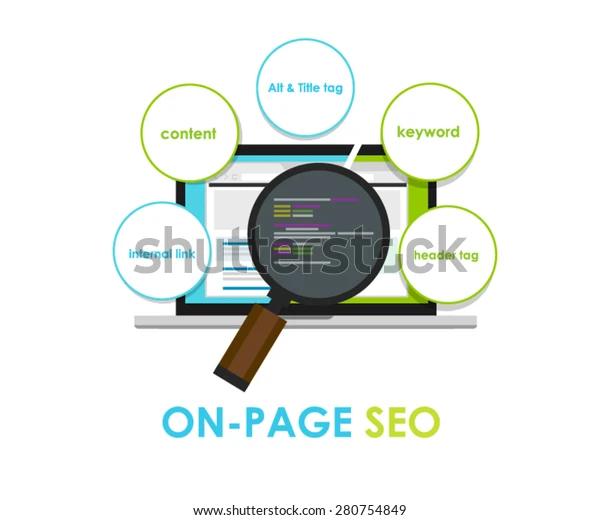
If you’ve ever wondered how some websites pop up at the top of Google while others stay buried on page two, you’re in the right place. On-page SEO is all about the changes you make on your site—things you control—to help search engines understand what your pages are about and show them to people who are looking for exactly what you offer. In this guide, we’ll walk you through every step in plain, easy-to-understand language. By the end, you’ll have a clear plan to make your pages load faster, read better, and rank higher.
Simple Human-Friendly Guide to On-Page SEO
What Is On-Page SEO?
On-page SEO means optimizing parts of your website itself: the words, the pictures, the code, and the way everything fits together. It’s different from off-page SEO (like getting other sites to link to you) because you’re working directly on your pages. Think of it as tuning up your car’s engine and body before you drive it out into traffic—if the basics aren’t in top shape, everything else will struggle.
Why On-Page SEO Matters
- You’re in Control. You decide what goes on your pages, how it’s written, and how it looks. That makes on-page SEO the best place to start.
- Better User Experience: Fast-loading pages, clear headings, and easy navigation keep visitors around longer. Happy visitors tend to come back, share your site, and buy your products.
- Clear Signals for Search Engines When Google sees well-structured, useful content, it feels confident showing your page to people. Use the right words in the right places, and you’ll let Google know exactly what your page is about.
Key On-Page SEO Elements
Below are the main parts of each page you need to tune up. Treat each one like a puzzle piece—when they all fit together, you’ll have a complete picture that both people and search engines love.
1. Keywords: What People Type into Search
- Find the right words. Think about what your visitors type into Google. Use free tools like Google’s Keyword Planner or AnswerThePublic to see popular searches.
- Use them naturally. Place your main keyword in your page title, one or two headings, and a few times in the text, only where it fits. Forced keywords look odd and can turn readers away.
- Avoid stuffing. Don’t cram the same word over and over. Good SEO means good writing.
2. Content That Helps People
- Answer real questions. Your content should solve problems or explain things clearly. The more useful you are, the more people—and Google—will trust you.
- Keep it readable. Short paragraphs (2–4 sentences), simple words, and bullet lists make your text easy to scan.
- Go deep when needed. For big topics, aim for 800–1,500 words. Cover every angle so readers don’t have to jump to another site.
3. Page Titles and Meta Descriptions
- Page Title (SEO Title): – Keep it under 60 characters so it doesn’t get cut off. – Include your main keyword near the front. – Use action words like “Learn,” “Discover,” or “Get.”
- Meta Description: – Up to 155 characters. – Summarize what the page offers. – Add a call to action: “Read now,” “Find out how,” or “Get tips.”
4. Headings to Guide Readers
- H1 is your main title—use this once per page.
- H2 breaks your page into big chunks.
- H3 and below divide each chunk into smaller sections.
Good headings make your page scannable. They also tell Google what each section covers.
5. Page Speed and Mobile Friendliness
- Compress images. Use free tools like TinyPNG or ShortPixel. Smaller files load faster.
- Choose a fast host. Cheap hosts can slow you down. Invest in reliable hosting.
- Keep the design simple. Fancy animations and lots of scripts can bog down your page.
- Test mobile view. Over 60% of visitors browse on phones. Make sure buttons, text, and menus work well on small screens.
6. Images and Alt Text
- Rename files clearly. “chocolate-cake.jpg” is better than “IMG_1234.jpg.”
- Add alt text. Write a short sentence describing the image (“Chocolate cake with strawberries”). This helps people using screen readers and tells Google what the image shows.
7. Internal and External Links
- Internal links guide readers to related pages on your site. They keep people browsing and help spread SEO value.
- External links to helpful, reputable sites show you’ve done your homework. They can boost your credibility.
- Check links regularly. Use a free tool like BrokenLinkCheck to find and fix any 404 errors.
Step-by-Step On-Page SEO Checklist
Let’s put it all together. Imagine you have an article called “Easy Home Workout Tips.” Here’s how to optimize that page from start to finish.
- Choose Your Main Keyword – Search for “home workout tips” in a keyword tool. – Note related phrases like “quick home workouts” and “beginner home exercises.”
- Write Clear, Helpful Content – Introduce why home workouts matter. – Break tips into bullet lists or short sections. – Include examples and quick routines people can follow.
- Set Up Your Headings – H1: Easy Home Workout Tips for Every Level – H2: Why You Should Exercise at Home – H2: Five Simple Exercises to Start Today – H3 (under H2 or H3): Push-Ups, Squats, Planks, and More
- Optimize Your Title and Description – Title: Easy Home Workout Tips | Quick Routines for Busy Days – Meta Description: Get simple workout ideas you can do at home—no equipment needed. Start your fitness journey today!
- Add, Compress, and Tag Images – Add a photo of a person doing a plank. – Compress it to under 200 KB. – Alt text: “Person doing plank exercise on yoga mat.”
- Link to Other Pages – Internal: Link to your “Healthy Eating Tips” page. – External: Link to a trusted fitness guide on a known health site.
- Check Mobile and Speed – Run Google’s PageSpeed Insights. – Fix any major issues (large files, render-blocking scripts). – View the page on your phone and try clicking every button.
- Publish and Promote – Hit publish. – Share on social media and in your email newsletter. – Ask friends or partners to check it out and share if they like it.
Tools to Make Life Easier
You don’t have to do every step by hand. Here are some free or budget-friendly tools to guide you:
- Google Search Console: See which search terms bring people to your site and spot errors.
- Yoast SEO (WordPress users): Gives simple on-screen tips as you write.
- Ubersuggest or SEMrush: Find new keyword ideas and see what competitors rank for.
- Screaming Frog SEO Spider: Crawls your site to find broken links, missing titles, and more.
- Grammarly or Hemingway Editor: Check your writing for clarity and simplicity.
Real-Life Wins: Case Studies
Small Online Store
A boutique seller rewrote product titles and descriptions, cut image file sizes, and tweaked page headings. In three months, organic visits rose by 45% and sales went up by 20%.
Personal Finance Blogger
By reorganizing a long guide into clear sections, adding bullet lists, and linking to related articles, this blogger saw a 60% increase in time spent on the page and climbed from page two to page one for key money-saving terms.
Future On-Page SEO Trends to Watch
- Mobile-First Indexing: Google mostly looks at your mobile site first. A solid phone experience isn’t optional—it’s a must.
- Voice Search People speak differently than they type. Think of questions someone would ask a voice assistant: “What are the best home workouts?”
- Core Web Vitals: This measures loading speed, interactivity, and visual stability. Fast, smooth pages will always have an edge.
- AI Tools as Helpers. You can use AI to brainstorm topics or tweak headlines, but always add your voice and real-world examples.
Conclusion: Your Next Steps
On-page SEO is about small, simple changes that lead to big results over time. Here’s what you can do right now:
- Pick one page you care about.
- Follow the step-by-step checklist.
- Use a free tool to spot any errors.
- Track your traffic numbers for the next month.
Repeat this process for each important page on your site. As you tweak titles, fix images, polish content, and speed up pages, you’ll see your rankings climb, your visitors stay longer, and your site becomes more trusted. Start today, and give your pages the makeover they deserve!
