

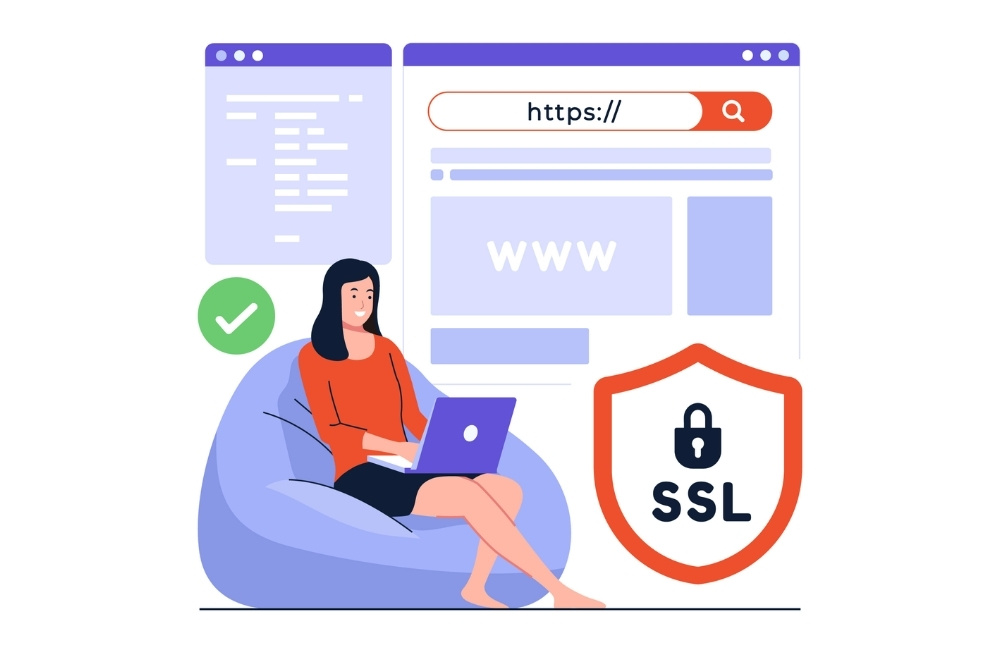
How SSL Keeps Your Website Visitors Safe
SSL website protection
SSL website protection
SSL website protection
SSL website protection helps secure data and build trust with users. It’s a simple way to keep visitors safe from hackers and boost your site’s SEO.
Website security breaches affect millions of users every year, exposing sensitive information like passwords, credit card numbers, and personal data. As a website owner, protecting your visitors’ information isn’t just good practice—it’s essential for maintaining trust and credibility. SSL certificates provide the foundation for secure online communication, creating an encrypted connection between your website and its users.
Understanding how SSL works and why it matters can help you make informed decisions about your website’s security infrastructure. This comprehensive guide explains the technical aspects of SSL encryption, explores different certificate types, and provides actionable steps for implementing HTTPS on your website.
Whether you run a small business website or manage enterprise-level applications, SSL certificates offer critical protection that benefits both you and your visitors. The following sections will clarify how this technology works and why it’s become a standard requirement for modern websites.
What is SSL?
SSL (Secure Sockets Layer) is a security protocol that establishes encrypted links between web servers and browsers. This technology ensures that all data transmitted between your website and its visitors remains private and secure from potential interceptors.
When visitors access a website with an SSL certificate, their browsers and the web server create a secure connection using cryptographic algorithms. This process protects sensitive information such as login credentials, payment details, and personal data from cybercriminals who might attempt to intercept the communication.
Modern websites actually use TLS (Transport Layer Security), which is the updated version of SSL. However, most people still refer to this security protocol as SSL, and the terms are often used interchangeably in common usage.
How SSL Works
SSL encryption operates through a sophisticated process called the “SSL handshake.” This process occurs automatically whenever a visitor accesses a website protected by an SSL certificate.
The handshake begins when a visitor’s browser requests a secure connection to your website. Your server responds by sending its SSL certificate, which contains your website’s public key and identity information. The visitor’s browser then verifies the certificate’s authenticity with a trusted Certificate Authority.
Once verification is complete, the browser creates a symmetric encryption key and encrypts it using your website’s public key. Your server receives this encrypted key and decrypts it using its private key. Both parties now share the same encryption key, enabling them to communicate securely throughout the session.
This entire process takes milliseconds to complete, ensuring that website performance remains optimal while providing robust security protection.
Why SSL is Important
SSL certificates deliver multiple benefits that extend beyond basic security protection. These advantages make SSL implementation essential for any website that handles user data or seeks to establish credibility online.
Enhanced Website Security
HTTPS encryption protects your website visitors from various cyber threats, including man-in-the-middle attacks and data interception. Without SSL protection, information transmitted between browsers and servers travels as plain text, making it vulnerable to malicious actors who monitor network traffic.
Improved Search Engine Rankings
Google considers HTTPS a ranking factor in its search algorithm. Websites with SSL certificates receive a slight SEO boost compared to their HTTP counterparts. This preference reflects Google’s commitment to promoting a more secure internet environment for all users.
Increased User Trust
Visitors can easily identify secure websites by looking for visual indicators such as the padlock icon in their browser’s address bar. These security indicators help build confidence and encourage users to engage with your content, complete purchases, and share their information.
Regulatory Compliance
Many industries require SSL encryption to comply with data protection regulations such as GDPR, HIPAA, and PCI DSS. Implementing SSL certificates helps ensure your website meets these legal requirements and avoids potential penalties.
HTTPS vs. HTTP
SSL website protection
SSL website protection helps secure data and build trust with users. It’s a simple way to keep visitors safe from hackers and boost your site’s SEO.
SSL website protection
SSL website protection
The primary difference between HTTPS and HTTP lies in the security layer that protects data transmission. HTTP (HyperText Transfer Protocol) sends information between browsers and servers without encryption, while HTTPS (HTTP Secure) adds SSL/TLS encryption to protect this communication.
Websites using HTTP display “Not Secure” warnings in modern browsers, which can deter visitors and damage your site’s credibility. These warnings appear prominently in the address bar, alerting users that their information might be at risk.
HTTPS websites display security indicators that reassure visitors about the safety of their data. These visual cues include padlock icons, green address bars, and “Secure” labels that promote user confidence and engagement.
The transition from HTTP to HTTPS requires obtaining an SSL certificate and configuring your web server to use encrypted connections. This process ensures that all communication between your website and its visitors remains protected from potential security threats.
Types of SSL Certificates
SSL certificates come in several varieties, each designed to meet different security needs and validation requirements. Understanding these options helps you choose the appropriate certificate type for your website.
Domain Validated (DV) Certificates
Domain Validated certificates provide basic encryption and require minimal verification. Certificate Authorities verify that you control the domain name, but don’t conduct extensive background checks. DV certificates are typically issued quickly and cost less than other options, making them suitable for personal websites and blogs.
Organization Validated (OV) Certificates
Organization Validated certificates require more thorough verification processes. Certificate Authorities verify your domain ownership and conduct additional checks on your organization’s legitimacy. These certificates display your organization’s name in the certificate details, providing additional credibility for business websites.
Extended Validation (EV) Certificates
Extended Validation certificates undergo the most rigorous verification process. Certificate Authorities conduct comprehensive background checks on your organization, including legal status, physical address, and business operations. EV certificates traditionally displayed green address bars in browsers, though this visual indicator has been phased out in favor of more subtle security indicators.
Wildcard Certificates
Wildcard certificates protect multiple subdomains under a single domain name. These certificates use an asterisk (*) in the certificate name, allowing them to secure unlimited subdomains. Wildcard certificates offer cost-effective solutions for websites with multiple subdomains.
How to Get an SSL Certificate
Obtaining an SSL certificate involves several steps, from choosing the right certificate type to completing the installation process. This systematic approach ensures proper implementation and optimal security protection.
Choose a Certificate Authority
Select a reputable Certificate Authority that offers the certificate type you need. Popular options include DigiCert, Sectigo, and Let’s Encrypt. Consider factors such as price, customer support, warranty coverage, and browser compatibility when making your decision.
Generate a Certificate Signing Request
Create a Certificate Signing Request (CSR) on your web server. This process generates a private key and a CSR file containing your website’s information. The CSR includes details such as your domain name, organization name, and location.
Complete the Validation Process
Submit your CSR to the Certificate Authority and complete their validation requirements. The validation process varies depending on your chosen certificate type, ranging from simple domain verification to comprehensive organizational background checks.
Install the Certificate
Once issued, download your SSL certificate and install it on your web server. This process involves uploading the certificate files and configuring your server to use HTTPS connections. Many hosting providers offer automated installation tools to simplify this process.
Configure Your Website
Update your website configuration to redirect HTTP traffic to HTTPS and ensure all internal links use secure protocols. Test your SSL installation using online tools to verify proper implementation and identify any potential issues.
Securing Your Digital Future
SSL certificates represent an essential investment in your website’s security, credibility, and long-term success. The protection they provide extends beyond technical security measures to encompass user trust, search engine optimization, and regulatory compliance.
Implementing HTTPS encryption demonstrates your commitment to protecting visitor information and maintaining professional standards. The process may seem complex initially, but the benefits far outweigh the implementation effort required.
Start by evaluating your current website security and determining which type of SSL certificate best meets your needs. Many hosting providers offer simplified SSL installation processes, making it easier than ever to secure your website and protect your visitors’ valuable information.
SSL website protection
SSL website protection helps secure data and build trust with users. It’s a simple way to keep visitors safe from hackers and boost your site’s SEO.
