

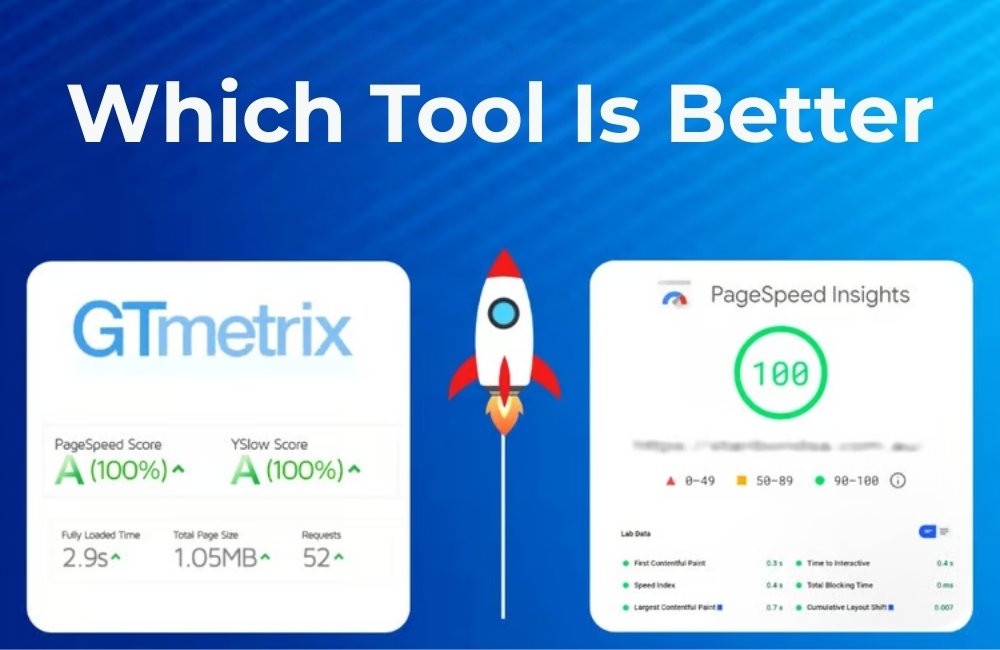
GTmetrix vs PageSpeed Insights
Compare GTmetrix vs PageSpeed Insights to see which works best for you. Both are top choices when looking for the best website speed test tool to check and improve site performance.
GTmetrix vs PageSpeed Insights: Which Tool Is Better?
Website speed can make or break your online success. Research shows that even a one-second delay in page load time can reduce conversions by 7% and increase bounce rates significantly. This makes website speed optimization a critical component of any successful SEO strategy.
When it comes to measuring and improving your site’s performance, two tools dominate the conversation: GTmetrix and Google PageSpeed Insights. Both offer valuable insights into your website’s speed and performance, but they approach testing from different angles and provide distinct sets of data.
Choosing the right website speed test tool can impact how you prioritize performance improvements and allocate your technical SEO resources. While some marketers swear by one tool over the other, the reality is that each serves different purposes in a comprehensive speed optimization strategy.
What is GTmetrix?
GTmetrix is a comprehensive website performance testing tool that provides detailed insights into how your site loads and performs. Founded in 2010, it has become one of the most trusted platforms for website speed analysis among developers and SEO professionals.
Key Features of GTmetrix
GTmetrix combines data from multiple sources to give you a complete picture of your site’s performance. The tool analyzes your website using both Lighthouse and Web Vitals metrics, providing scores for Performance, Structure, and Core Web Vitals.
The platform offers waterfall charts that show exactly how each element of your page loads, making it easier to identify bottlenecks. You can also test from multiple locations worldwide and different connection speeds to understand how your site performs for various user scenarios.
GTmetrix Pricing
GTmetrix operates on a freemium model. The free version allows you to run basic tests with some limitations on testing frequency and features. Paid plans start at $14.95 per month and include benefits like priority testing, more frequent monitoring, and advanced reporting features.
Pros and Cons of GTmetrix
Pros:
- Detailed waterfall charts for granular analysis
- Multiple testing locations”>Historical data tracking and monitoring capabilities
- API access for automated testing
Cons:
- Limited free tier with testing restrictions
- It can be overwhelming for beginners
- Some advanced features require paid subscriptions
- Results may not always align perfectly with the real user experience
What is PageSpeed Insights?
Google PageSpeed Insights is a free website speed test tool that analyzes your site’s performance on both mobile and desktop devices. Since it comes directly from Google, many SEO professionals consider it the gold standard for understanding how search engines evaluate page speed.
Key Features of PageSpeed Insights
PageSpeed Insights uses real-world data from the Chrome User Experience Report when available, combined with lab data from Lighthouse. This dual approach provides both field data (actual user experiences) and lab data (controlled testing environment).
The tool focuses heavily on Core Web Vitals, which are key metrics that Google uses as ranking factors. These include Largest Contentful Paint (LCP), First Input Delay (FID), and Cumulative Layout Shift (CLS).
PageSpeed Insights provides separate scores for mobile and desktop performance, along with specific recommendations for improving each metric. The suggestions are categorized by impact level, helping you prioritize which optimizations to tackle first.
Pros and Cons of PageSpeed Insights
Pros:
- Completely free to use
- Direct insights from Google’s perspective
- Real user data, when available
- Strong focus on Core Web Vitals
- Mobile and desktop analysis
- Clear, prioritized recommendations
Cons:
- Limited testing location options
- Less detailed waterfall analysis
- No historical tracking capabilities
- Cannot customize testing conditions
- May not reflect performance from all geographic regions
GTmetrix vs PageSpeed Insights: Detailed Comparison
Understanding the differences between these tools helps you choose the right one for your specific technical SEO needs.
Data Sources and Methodology
GTmetrix vs PageSpeed Insights
Compare GTmetrix vs PageSpeed Insights to see which works best for you. Both are top choices when looking for the best website speed test tool to check and improve site performance.
GTmetrix pulls data from Lighthouse and provides its performance scoring system. It runs tests from its servers, which means you get consistent lab data but may miss real user experiences.
PageSpeed Insights combines field data from actual Chrome users with Lighthouse lab data. This hybrid approach often provides a more accurate picture of how real users experience your site, especially for high-traffic websites.
Testing Flexibility
GTmetrix offers significantly more flexibility in testing conditions. You can choose from multiple global testing locations, simulate different connection speeds, and even test from different browsers. This makes it ideal for understanding how your site performs across various scenarios.
PageSpeed Insights runs tests from Google’s servers with limited customization options. While this provides consistency, it may not reflect performance for users in specific geographic regions or network conditions.
Reporting and Analysis Depth
GTmetrix excels in providing detailed technical analysis. Its waterfall charts show exactly when each resource loads, making it easier to identify specific bottlenecks. The tool also provides detailed breakdowns of resource sizes, load times, and optimization opportunities.
PageSpeed Insights focuses more on actionable recommendations tied directly to Core Web Vitals. While it provides less granular technical detail, its suggestions are often more aligned with what actually impacts SEO rankings.
Historical Data and Monitoring
GTmetrix offers built-in monitoring capabilities, allowing you to track performance changes over time. This feature is invaluable for understanding how site updates affect performance and for demonstrating ROI from optimization efforts.
PageSpeed Insights doesn’t provide historical tracking within the tool itself, though you can manually track scores over time or use third-party tools to automate this process.
Cost Considerations
PageSpeed Insights wins in the cost department as it’s completely free with no usage limitations. GTmetrix’s free tier has restrictions, and accessing advanced features requires a paid subscription.
For businesses just starting with website speed optimization, PageSpeed Insights provides excellent value. Companies requiring more detailed analysis or monitoring capabilities may find GTmetrix’s paid plans worthwhile.
Which Tool Should You Choose?
The answer depends on your specific needs and technical SEO goals.
Choose PageSpeed Insights if you’re primarily focused on SEO rankings, want to understand Core Web Vitals performance, or need a free tool that provides Google’s perspective on your site’s performance. It’s also ideal for beginners who want clear, actionable recommendations without getting overwhelmed by technical details.
Choose GTmetrix if you need detailed technical analysis, want to test from multiple locations, require historical performance tracking, or are optimizing for users in specific geographic regions. It’s particularly valuable for developers and technical SEO professionals who need granular insights to guide their optimization efforts.
Many successful SEO professionals use both tools as part of their website speed optimization workflow. PageSpeed Insights helps ensure you’re meeting Google’s Core Web Vitals requirements, while GTmetrix provides the detailed technical insights needed actually to implement improvements.
Start Optimizing Your Website Speed Today
Both GTmetrix and PageSpeed Insights offer valuable insights for website speed optimization, but they serve different purposes in your technical SEO toolkit. Rather than viewing them as competitors, consider using them as complementary tools that provide different perspectives on your site’s performance.
Begin by running your website through PageSpeed Insights to understand your Core Web Vitals performance and get Google’s perspective on your site speed. Then, use GTmetrix to dive deeper into the technical details and identify specific optimization opportunities.
Remember that website speed optimization is an ongoing process, not a one-time task. Regular testing and monitoring help ensure your site continues to provide fast, user-friendly experiences that support your SEO goals and business objectives.
GTmetrix vs PageSpeed Insights
Compare GTmetrix vs PageSpeed Insights to see which works best for you. Both are top choices when looking for the best website speed test tool to check and improve site performance.
