

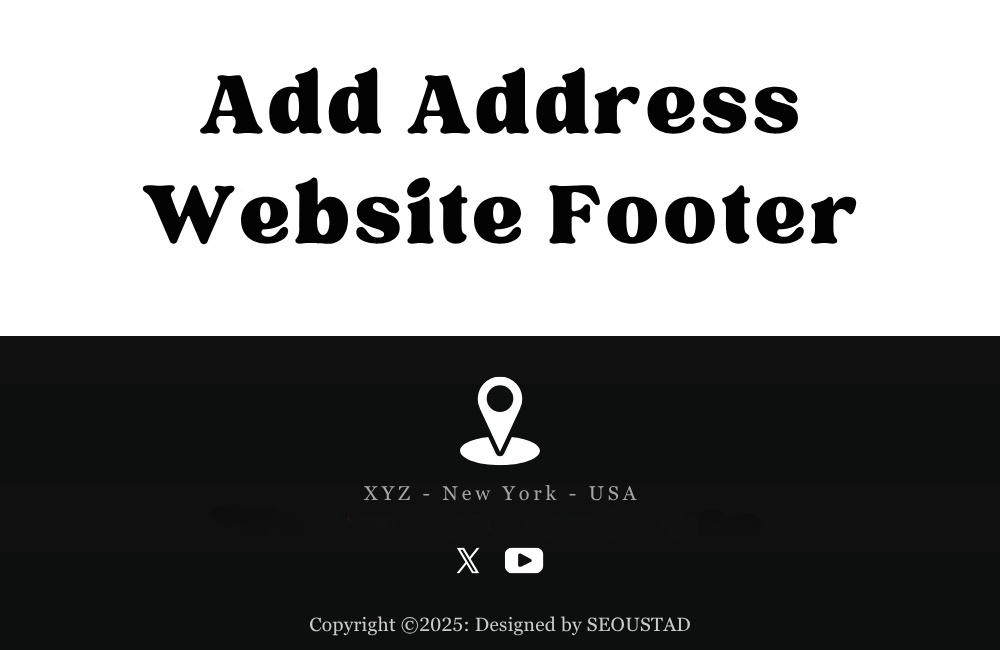
Add address to footer
Add address to footer to make your contact details easy to find. It’s a smart way to show location on website and guide visitors to your business.
Add Your Address to Your Website Footer: A Simple SEO Win
Your website footer represents valuable digital real estate that many businesses leave underutilized. While most companies focus extensively on header design and navigation elements, the footer often becomes an afterthought. This missed opportunity can significantly impact your search engine optimization efforts and customer trust levels.
Adding your business address to your website footer constitutes one of the most straightforward yet effective optimization strategies available. This simple addition serves multiple critical functions: it enhances your local SEO performance, establishes credibility with potential customers, and ensures compliance with various legal requirements across different industries.
The implementation process requires minimal technical expertise, yet the benefits extend far beyond the effort invested. Whether you operate a local brick-and-mortar establishment, run a service-based business, or manage an e-commerce platform, displaying your address strategically can transform casual visitors into loyal customers while simultaneously boosting your search engine rankings.
Why Your Website Footer Needs Your Business Address
Enhanced Local SEO Performance
Search engines utilize business addresses as crucial ranking factors for local search results. When you include your complete address in your website footer, you provide search engine algorithms with consistent location data that strengthens your local search presence. This consistency signals to Google and other search engines that your business maintains a legitimate physical presence, which directly influences your visibility in “near me” searches and local map results.
Local search optimization has become increasingly important as mobile searches continue to dominate user behavior. Studies indicate that local searches drive significant foot traffic to physical locations, making your address inclusion a critical component of your digital marketing strategy.
Building User Trust and Credibility
Transparency breeds trust in digital commerce. When visitors can easily locate your business address, they perceive your company as more legitimate and trustworthy. This psychological effect proves particularly important for businesses handling sensitive information, financial transactions, or high-value purchases.
Customers often research businesses thoroughly before making purchasing decisions. A displayed address provides reassurance that your company operates transparently and can be contacted through multiple channels if issues arise. This confidence factor can significantly influence conversion rates and customer lifetime value.
Legal Compliance Requirements
Many jurisdictions require businesses to display their physical addresses on their websites. E-commerce companies, financial services firms, and healthcare providers often face specific regulatory requirements regarding address disclosure. European Union businesses must comply with GDPR requirements, while various U.S. states maintain their disclosure regulations.
Professional service providers, including attorneys, accountants, and consultants, frequently encounter industry-specific requirements mandating address display. Failure to comply with these regulations can result in penalties, legal complications, and potential business disruptions.
Step-by-Step Implementation Guide
Content Management System Integration
Most modern content management systems provide straightforward methods for adding footer information. WordPress users can access footer customization through their theme customizer or by editing the footer.php files directly. Navigate to Appearance > Customize > Footer Settings to locate the address input fields.
Shopify merchants can modify their footer content through the theme editor. Access this feature by navigating to Online Store > Themes > Actions > Edit Code, then locate the footer—liquid file for customization.
Squarespace users can add address information through their Footer section in the Design panel. The platform provides intuitive drag-and-drop functionality for arranging footer elements.
HTML Implementation Method
For businesses using custom websites or requiring more control over footer appearance, direct HTML editing provides maximum flexibility. Insert your address information within the footer section using appropriate semantic markup:
<footer>
<address>
Company Name<br>
123 Business Street<br>
City, State ZIP Code<br>
Country
</address>
</footer>
Add address to footer
Add address to footer to make your contact details easy to find. It’s a smart way to show location on website and guide visitors to your business.
The address tag provides semantic meaning that search engines recognize and value for local SEO purposes.
Footer Address Best Practices
Optimal Formatting Strategies
Present your address information clearly and professionally. Use standard formatting conventions that visitors can easily scan and understand. Include your complete business name, street address, city, state, ZIP code, and country when applicable.
Consider incorporating contact information alongside your address for maximum user convenience. Phone numbers, email addresses, and business hours complement address information effectively.
Strategic Placement Considerations
Position your address prominently within the footer without overwhelming other essential elements. Many successful websites place address information in the left column of multi-column footer layouts, ensuring visibility while maintaining design balance.
Maintain consistent formatting across all website pages. Footer information should appear identical on every page to provide users with reliable access to your location details.
Mobile Optimization Requirements
Ensure your footer address displays correctly on mobile devices. Test your footer across various screen sizes to confirm readability and accessibility. Mobile users should be able to tap your address to launch mapping applications directly.
Consider implementing click-to-call functionality for phone numbers and tap-to-navigate features for addresses to enhance the mobile user experience.
Effective Website Footer Examples
Successful local businesses demonstrate various approaches to footer address implementation. Restaurant websites often combine their address with hours of operation and reservation links, creating comprehensive location information hubs.
Professional service firms typically present their address alongside professional credentials and certifications, reinforcing credibility while providing location transparency.
Retail businesses frequently integrate their address with store locator links and shipping information, creating seamless customer experience pathways.
Maximizing Your Footer’s Potential
Your website footer address represents more than simple contact information—it serves as a powerful tool for search engine optimization, building customer trust, and legal compliance. The implementation process requires minimal time investment while delivering substantial long-term benefits for your digital presence.
Begin by auditing your current footer content and identifying opportunities for address integration. Choose the implementation method that aligns with your technical capabilities and website platform. Focus on clear, professional formatting that enhances rather than clutters your footer design.
Take action today by adding your business address to your website footer. This simple modification can improve your local search rankings, increase customer confidence, and ensure regulatory compliance—three significant advantages that require minimal effort to achieve.
Add address to footer
Add address to footer to make your contact details easy to find. It’s a smart way to show location on website and guide visitors to your business.
Add address to footer
Add address to footer
Add address to footer
b
